
Placing your website logo might seem insignificant. However, it plays a substantial role in promoting branding, improving user experience, and enhancing navigation. A strategically placed logo ensures your website reflects professionalism and establishes trust at first glance. Here is a comprehensive guide by TRIOTECH LABS, a leading web development company, to help you master logo placement on your website.
Why Strategic Logo Placement On Website Is Essential
A well-placed logo sets the tone for user interaction and helps create a lasting impression. Here’s why it matters:
- Boosts Brand Recognition: A prominent logo ensures visitors instantly identify your business.
- Enhances User Navigation: Users expect to click on the logo to return to the homepage seamlessly.
- Improves Website Aesthetics: Proper placement contributes to a professional and cohesive design.
By positioning your logo thoughtfully, you align your brand message with user expectations.
Best Places to Position Your Logo: Maximize Branding Impact
Each website layout is unique, but these proven placements ensure optimal user engagement and branding:
1. Top Left Corner: The Standard for User-Friendly Design
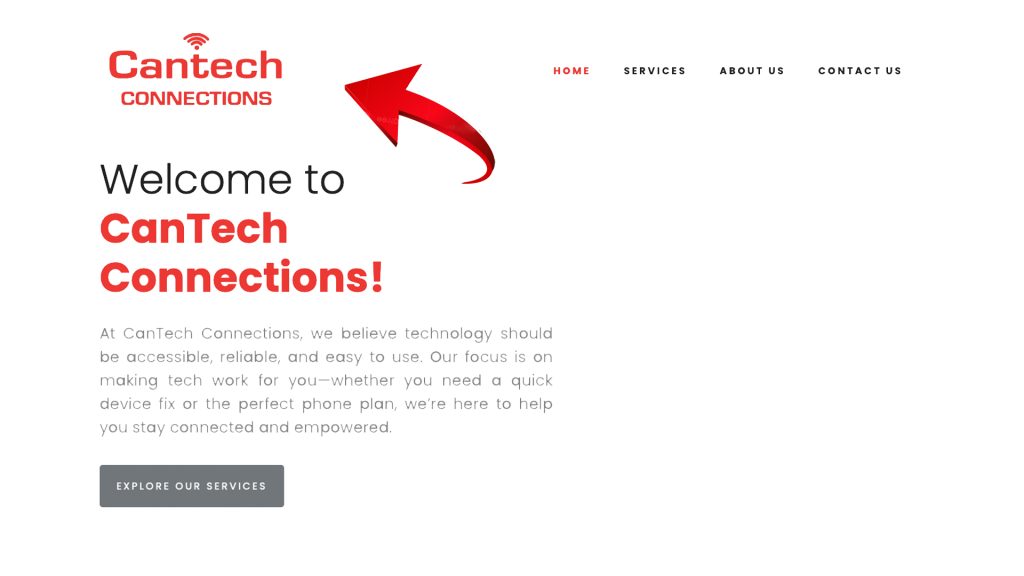
The top-left corner is the most natural spot for a logo and aligns with users’ reading patterns.
- Why it works: Eye-tracking studies reveal visitors instinctively glance at the top left when landing on a website.
- Key Benefits: This placement fosters familiarity and makes navigation intuitive.
Example:
Check out CanTechConnections.com – Designed by TRIOTECH LABS!
2. Centered Header: A Bold Choice for Visual Balance
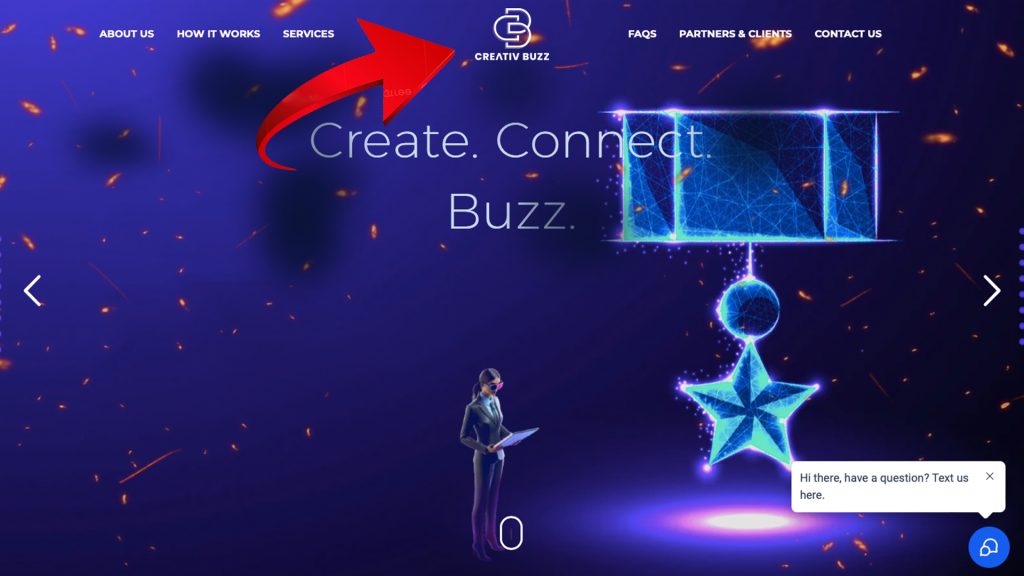
Positioning the logo at the center of the header creates a clean, symmetrical design that draws attention.
- Why it works: A centered logo immediately captures the focus and communicates a modern aesthetic.
Example:
Take a look at CreativBuzz.com, a visually engaging website developed by TRIOTECH LABS!
3. Sticky Navigation Bar: Branding That Stays in View

A logo embedded in a sticky navigation bar ensures constant visibility as users scroll through the website.
- Why it works: This placement reinforces branding while keeping navigation accessible throughout the browsing experience.
- Key Benefits: Ideal for long-scroll websites where constant brand reinforcement is crucial.
Example:
Explore OntarioHousingandEmploymentSolutions.com – by TRIOTECH LABS!
Logo Placement on a Website: Must Avoid Mistakes!
Even a great logo can lose its impact with poor placement. Avoid these common mistakes:
- Overcrowding the Header: A cluttered header distracts users and diminishes the logo’s prominence.
- Placing Below the Fold: Visitors may miss your logo entirely if it isn’t visible on the first load.
- Using Low-Quality Graphics: Pixelated or stretched logos harm your credibility.
Expert Tips for Strategic Website Logo Placement
Use these actionable tips to ensure your logo placement maximizes impact:
- Test Clickability: Verify that clicking the logo redirects to your homepage.
- Maintain Consistent Size: Keep the logo proportional to the header for balance.
- Prioritize Visibility: Ensure the logo contrasts with the background for clarity.
- Test Responsiveness: Optimize logo placement for both desktop and mobile screens.
- Leverage White Space: Surround the logo with enough breathing room to stand out.
TRIOTECH LABS: Your Expert in Website Design and Branding
Perfecting your logo placement is just one part of building a successful website. At TRIOTECH LABS, we specialize in crafting custom web designs that boost branding and user engagement.
Our team ensures every element, from logo placement to navigation, aligns to benefit your digital presence!
Contact TRIOTECH LABS – Get A Custom Website Today!
Read Guides:
Creating A Website Maintenance Calendar: Checklist For 2025
Boosting Personal Brands: Five Reasons You Must Build a Portfolio Website!

